All you had to do was avoid the damn spoilers, CJ
A digital linguist's approach to avoiding spoilers online
Are you tired of spoilers? Do you passively trust the almighty algorithm to spare you? The content machine is going to swallow you whole and does not care about your little feelings. Therefore, it's up to you to take matters into your own hands.
GTA VI is out tonight. Thirteen years of waiting, all for some ragebaiting SDE wannabe influencer to spoil it for you (especially if you're a PC peasant and you need to wait a while).
Here's a quick way to protect yourself from the hellhole that is modern social media.
It's a neat filter that only requires you to press buttons and then copy/paste into a well known curated open-source browser extension.
Pick, copy, paste, and the spoilers disappear from Reddit, YouTube, X and Google, in Firefox on your computer and on your phone. The apps can't run it, so they get a muting guide of their own. It's also, quietly, a small piece of corpus linguistics – more on that under the generator, for anyone who wants to know how it works.
Block GTA 6 spoilers in four steps
- Install uBlock Origin in Firefox, from addons.mozilla.org on a computer or from Firefox's own add-on list on Android. The author must be Raymond Hill. Not uBlock, not AdBlock, not uBlock Origin Lite.
- In the generator below, pick Blackout or Story only and press Copy filter.
- In uBlock Origin: My filters → paste → Apply changes. The exact taps are under the generator, in Install | undo | peek.
- On the Reddit, YouTube, X or Instagram apps too? uBlock can't get inside them, so mute the same words in each app: the guide, app by app.
Install | undo | peek
Firefox on a computer. The uBlock icon in the toolbar → the gears (Dashboard) → My filters → paste at the first empty code row → Apply changes. Apply, otherwise changes are not saved.
Firefox on Android. Menu (⋮) → Extensions (on older versions Add-ons) → Manage extensions → uBlock Origin → Settings → My filters → paste → Apply changes. Firefox for Android runs the full uBlock Origin, like on a computer.
Undo. Once you've finished the game: My filters → delete the block, from the line ! GTA VI spoiler filter down → Apply changes. On a phone, uBlock's editor won't delete a long block: use the Settings tab → Reset to default settings… instead. It clears everything else you added to uBlock, too.
Update. A new version, or a switch between Hide and Blur: get rid of the old block first, as in Undo, then paste the new one. Two blocks both run, and Hide beats Blur.
Peek. For a quick peek at whatever site you're looking (bypassing the filter), open the uBlock popup and tap the eye icon (cosmetic filtering). Reload the page. Tap it again to switch it back on.
Chrome, Brave, Safari. Chrome is pretty much beyond redemption since Manifest V3, so I did not bother testing it. This filter works in Firefox – potentially you could test it in other browsers that support uBlock – let me know if it works.
Corpus linguistics time!
The lexicon. The words come in four tiers. A is the game's name. B is characters and places. C is words that signal a spoiler: ending, twist, dies. D is broad names – Lucia, Jason, Rockstar – too common to trust on their own, so they only count next to a C word. The lexicon was built from Rockstar's own marketing before launch – the list itself spoils nothing, it just assumes potential realities.
The collocation. "Ending" with no context is a word, not a spoiler. "GTA 6", again, a unit of meaning. Put them both in the same post and ... welp. The "Story" filter only hides a post when the name and a spoiler word occur together (a concordancer usually uses a node, a collocate and a span). The span for this filter is the post or the comment. Some things, e.g. reviews or patch notes, will still be visible.
Precision. The "Blackout" filter is all artillery deployed: it overextends, rather hiding a harmless headline than missing a bad one. Story only gives up some of that for precision.
The unit. Each filter hides the smallest segment that holds the words in it: a post, a video thumbnail, a comment. Heads up – comments are read on their own, without their replies, so one spoiler in a reply doesn't take the thread above it down too.
Mute GTA 6 spoilers in the apps
uBlock works in a browser. Apps are the work of the devil and have (not necessarily) their own (imperfect) tools. You have to set them on their own.
XMuted words
Covers the Home timeline and your notifications | Misses search, Explore and ads
-
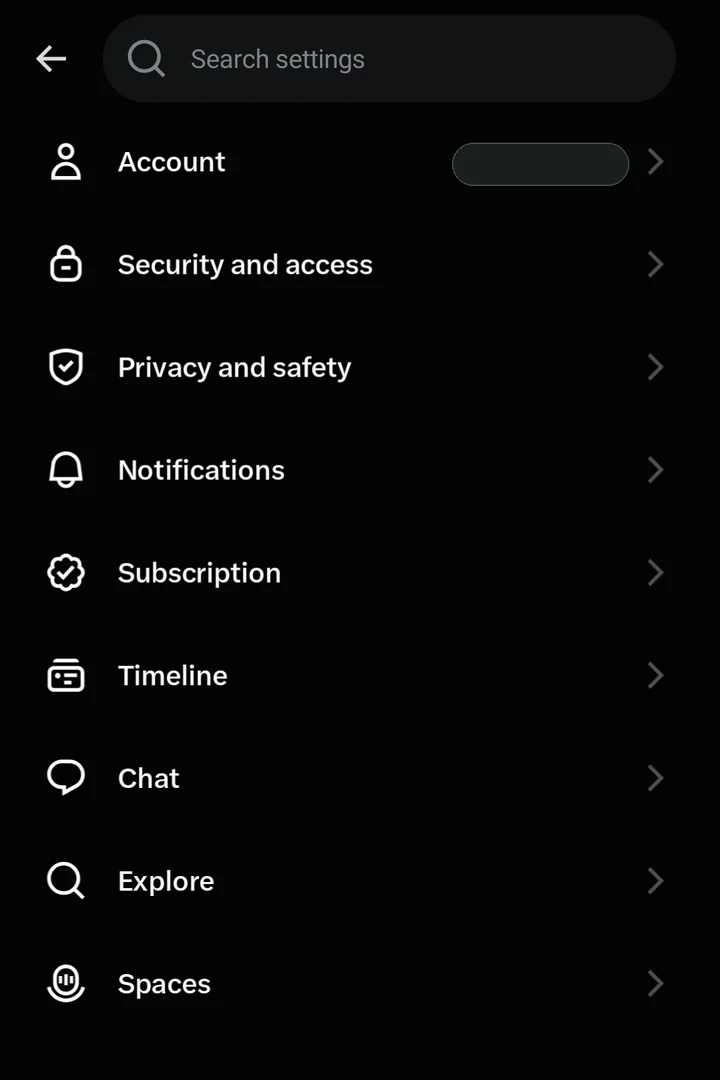
Tap your profile picture, then Settings and privacy → Privacy and safety.
-
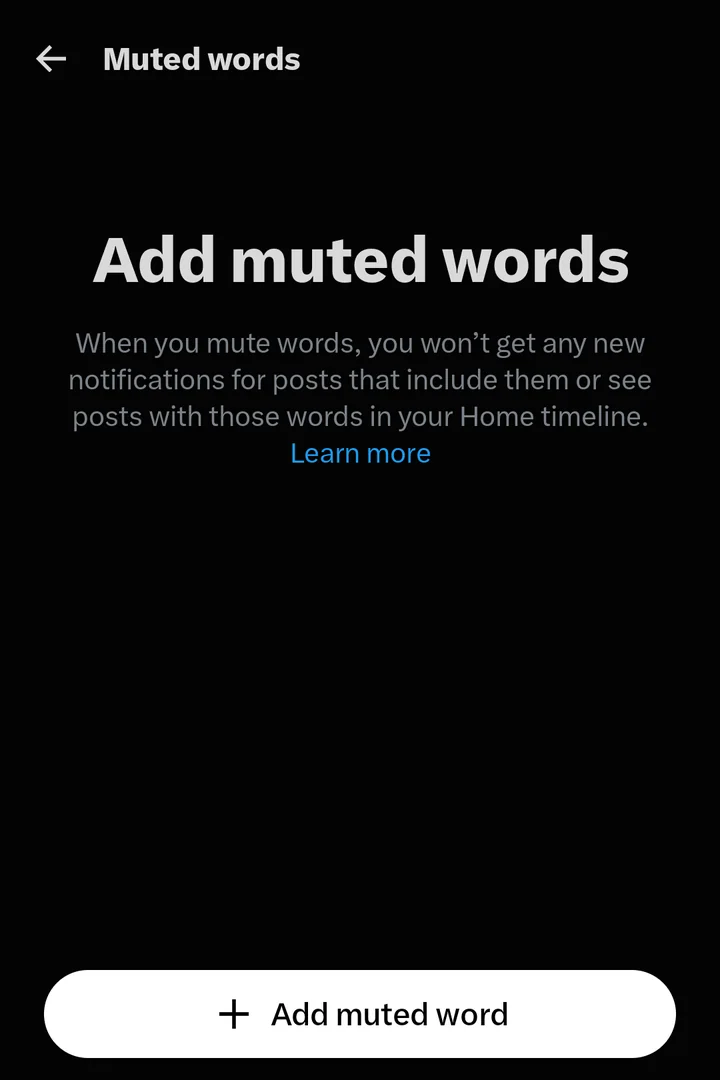
Mute and block → Muted words → Add muted word.
-
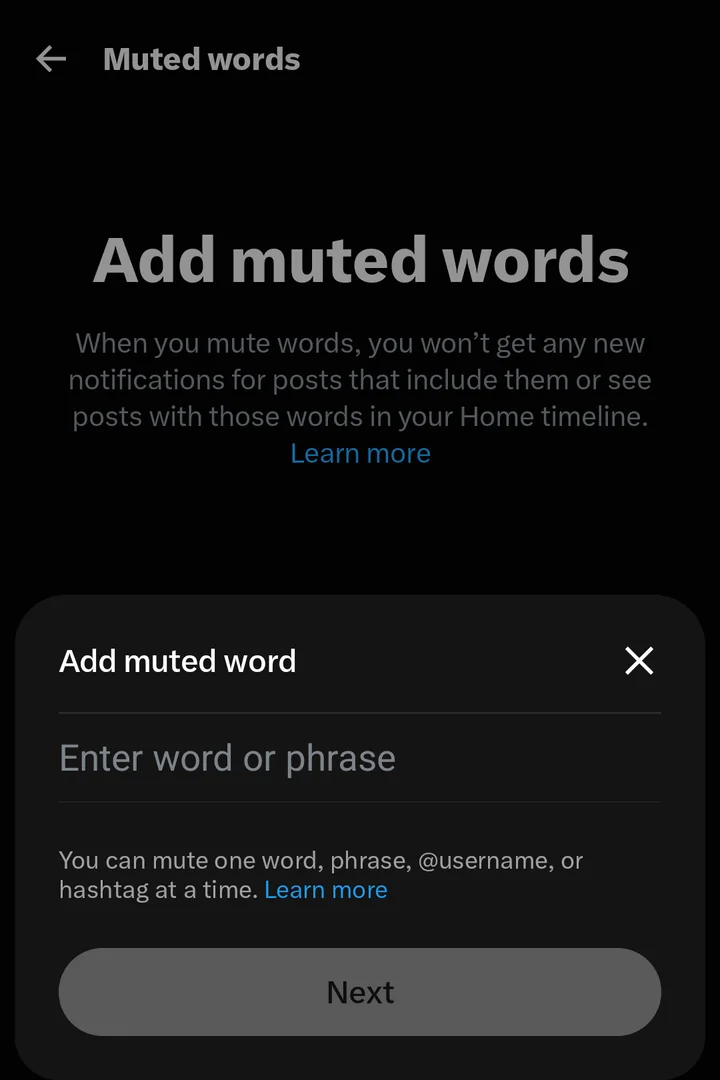
Type one word or phrase → Next. On the next screen keep Home timeline and Notifications ticked, set the time to 30 days, and save. One at a time, so use the chips below.
On a computer x.com → Settings and privacy → Privacy and safety → Mute and block → Muted words. It is the same list as in the app, so one set-up covers both.
InstagramHidden Words and Content preferences
Covers comments, message requests and suggested posts | Misses posts from accounts you follow, which always get through
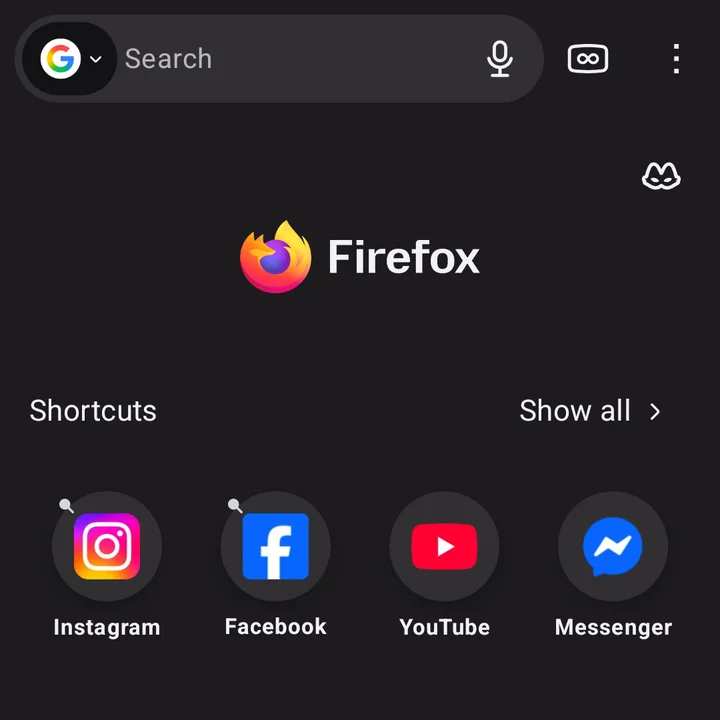
Best on a phone Skip the app for a few weeks. Open instagram.com in Firefox, where the filter above reaches it, and pin it to Firefox’s Shortcuts (menu ⋮ → Add to shortcuts), so it is one tap away like the app was. Bonus: uBlock blocks the ads too. If you keep the app, this is what it allows:
-
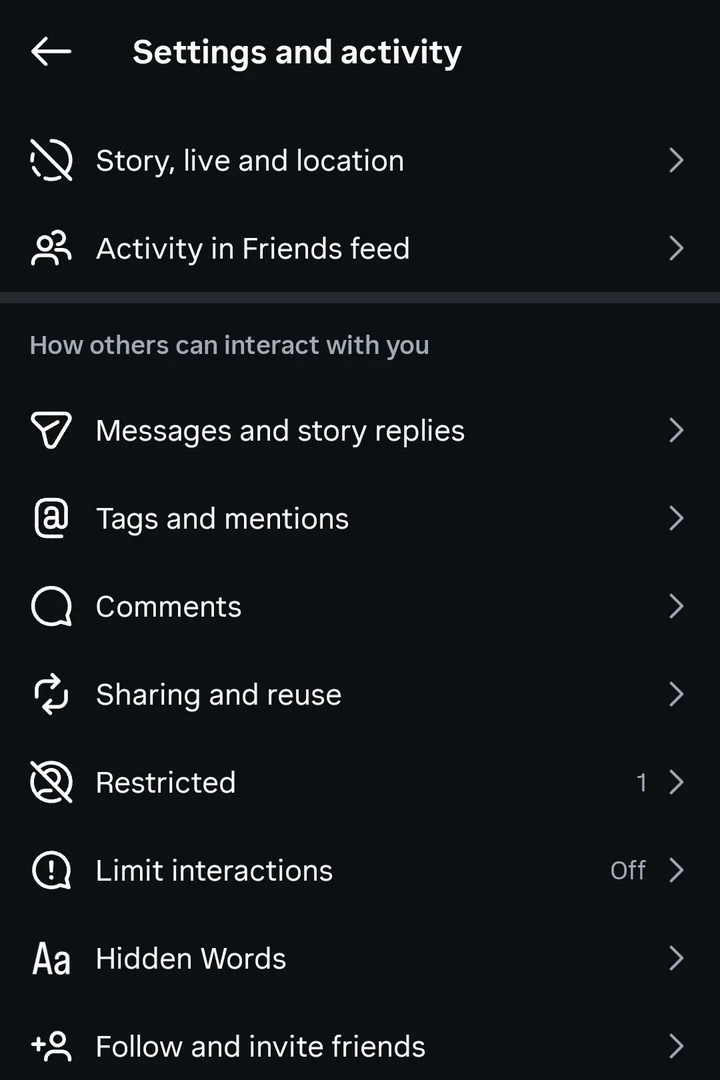
Profile → the menu (☰) → Hidden Words.
-
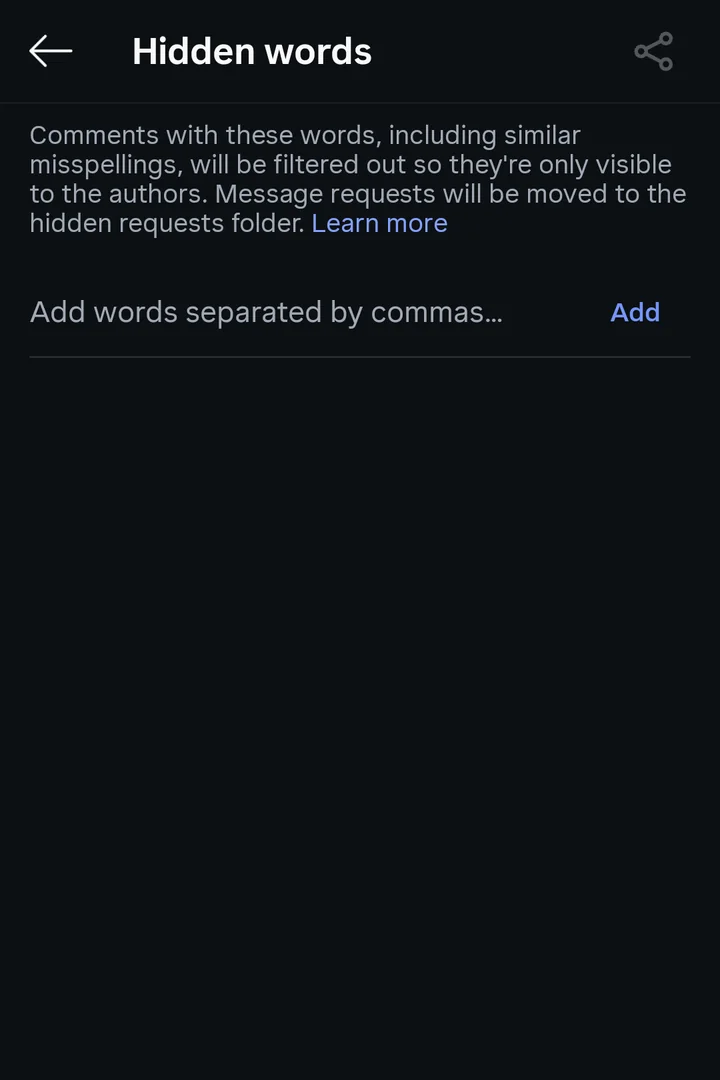
Type the words, separated by commas → Add. Comments with them are hidden, and message requests with them go to the hidden folder.
-
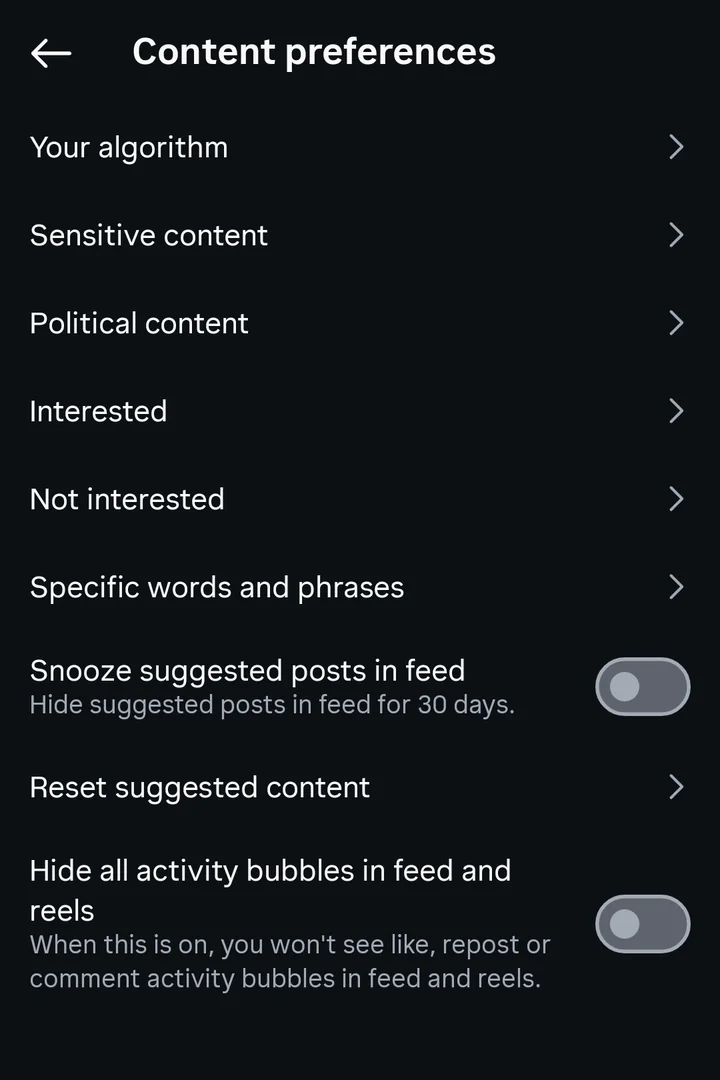
Back in the menu: Content preferences. Switch on Snooze suggested posts in feed, 30 days without suggestions, then open Specific words and phrases.
-
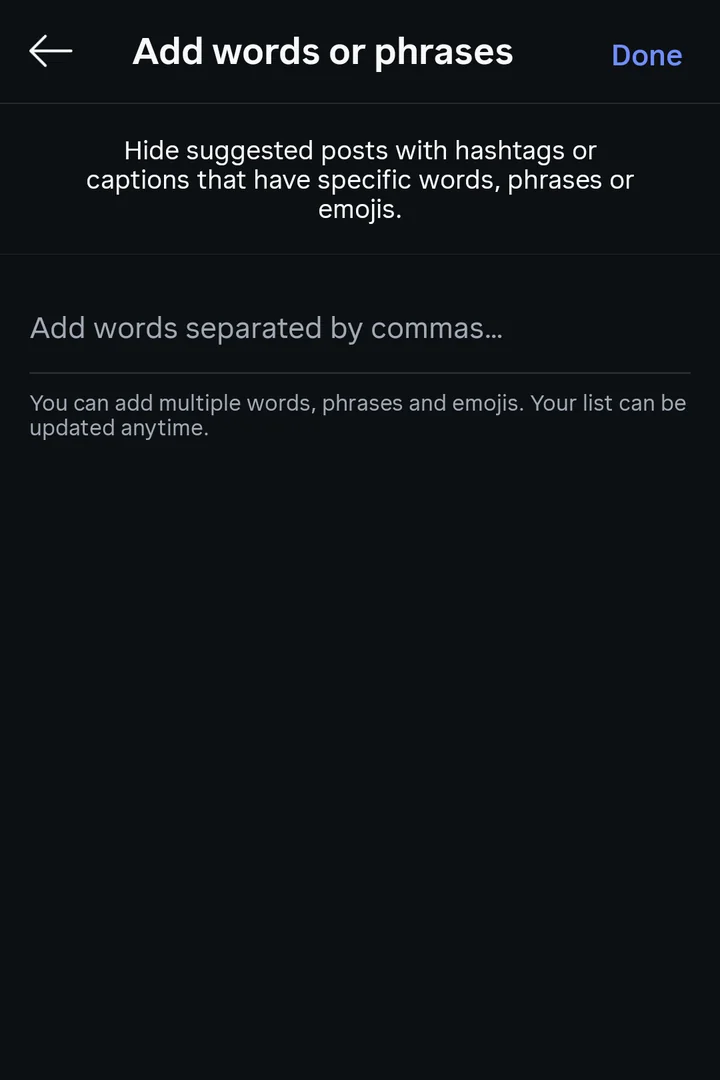
Add the same words → Done. Suggested posts with them in the caption or hashtags stay out of your feed.
-
For a gaming account you follow: their profile → Following → Mute → posts and stories.
On a computer instagram.com → More → Settings → Hidden Words. The words belong to your account, so one set-up covers both.
FacebookNo keyword filter
Covers pages and groups you snooze, one at a time | Misses every keyword: the app has no word filter at all
Best on a phone Skip the app for a few weeks. Open facebook.com in Firefox, where the filter above reaches it, and pin it to Firefox’s Shortcuts (menu ⋮ → Add to shortcuts), so it is one tap away like the app was. Bonus: uBlock blocks the ads too. The app has no word filter at all; this is what it allows:
-
On a post from a gaming page or group: ⋯ → Snooze for 30 days.
-
For groups you stay in: the group → Notifications → Off.
On a computer the same ⋯ → Snooze for 30 days on any post. In Firefox with uBlock Origin, the filter above does the real work.
RedditMuted communities
Covers whole communities, in your feeds and recommendations | Misses posts about the game in any other community; the app has no keyword mute
-
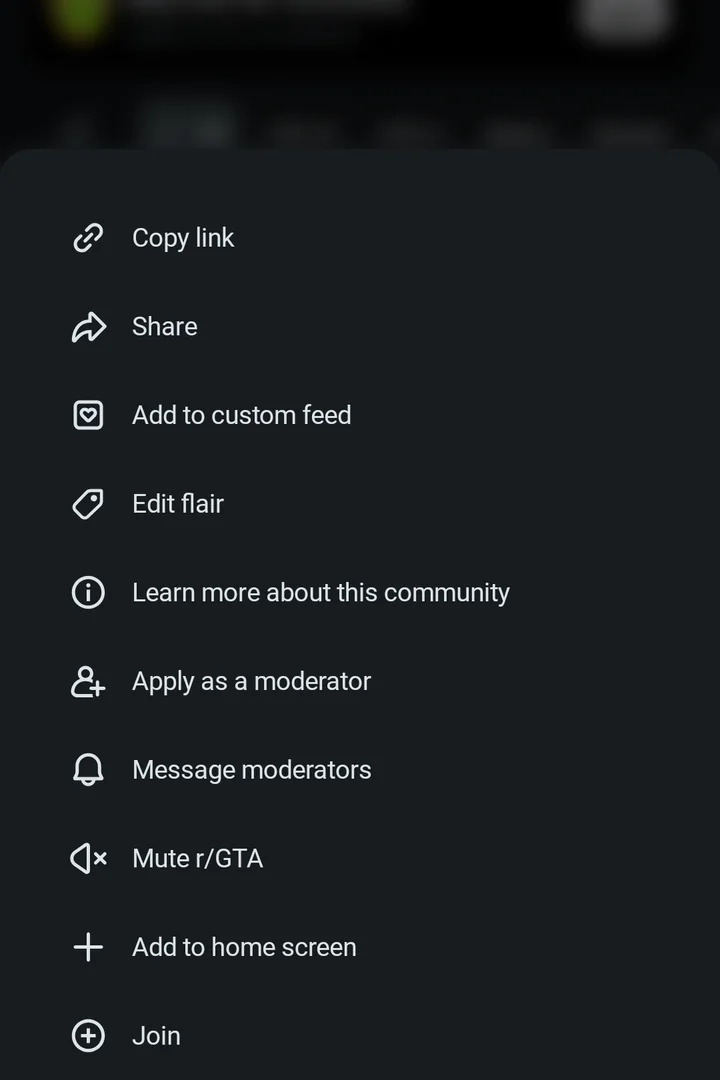
Open a community, here r/GTA → ⋮ at the top → Mute r/GTA.
-
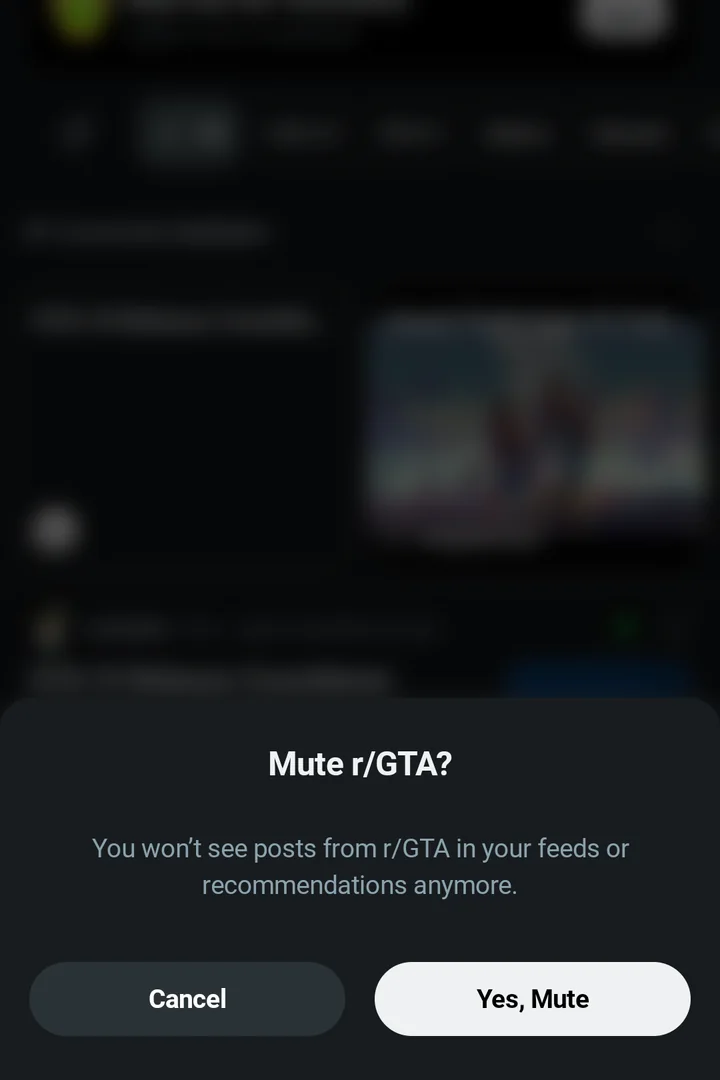
Yes, Mute: its posts leave your feeds and recommendations. Same again for each community below.
-
Settings → Notifications → switch off Trending posts and Recommended posts.
On a computer reddit.com → Settings → Preferences → Muted communities. A mute belongs to your account, so muting once covers the app and the website.
YouTubeNo keyword filter
Covers what you teach it, video by video | Misses any keyword: there is no word filter
Best on a phone Skip the app for a few weeks. Open youtube.com in Firefox, where the filter above reaches it, and pin it to Firefox’s Shortcuts (menu ⋮ → Add to shortcuts), so it is one tap away like the app was. Bonus: uBlock blocks the ads too. If you keep the app, this is what it allows:
-
On a video you don’t want: ⋮ → Not interested, or Don’t recommend channel.
-
For gaming channels you subscribe to: the bell → None, until you’ve finished.
-
The heavy option: You → Settings → Manage all history → pause watch history, then delete it. With no history, the home feed stops recommending anything. The cost is real: you lose your recommendations until you switch it back on.
On a computer the same ⋮ → Not interested under any video; watch history pauses under History in the left menu. In Firefox with uBlock Origin, the filter above does the real work.
Google app and ChromeTrending searches and Discover
Covers the search box suggestions and the Discover feed | Misses the results themselves
-
Google app → your picture → Settings → General → switch off Autocomplete with trending searches. The search box is where “gta 6 e…” finishes the sentence for you.
-
Same screen: switch Discover off, or on a GTA card tap ⋮ → Not interested.
-
In any browser, Chrome included: google.com → Settings → Search settings → Other settings → Autocomplete with trending searches → off.
Also mute, for a few weeks: push notifications from gaming news apps, the news feed in the PlayStation and Xbox apps, and the announcement channels of the gaming Discord servers you sit in. On TikTok: Settings and privacy → Content preferences → Filter video keywords, with the same words. I don't use TikTok, so hopefully it works.
What this can't do
- Pictures and video. A filter reads words. A thumbnail, a meme or a clip with no text in it gets through. The thumbnail blur under Advanced is the blunt fix for YouTube.
- Apps. uBlock Origin works in a browser only. The section above is the best the apps allow.
- Messages. DMs and group chats are not filtered anywhere. If you get it spoiled this way, next time be sure to filter your friends.
- If you want to be extra sure ... Mute the group chat. Throw your phone in the bin. Good luck.
- Code and updates. This code works now, if any of this gets updated the filter might break. I'll be maintaining it for the foreseeable future (until I play it on PC, obviously).
- Hiding is not blocking. Hidden posts still load. You just don't see them. Good enough.
Last checked
Changelog
- 18 November 2026 – first version. Reddit, YouTube, X and Google Search, with a first pass at Instagram and Facebook.